Hardening Vector
Guidance and best practices for securing Vector deployments.
Threat Model Coverage
Before we can harden Vector we must understand how it’s vulnerable. The following table demonstrates Vector’s threat model coverage with the below defense-in-depth strategy.
| Threat | Defenses |
|---|---|
| Eavesdropping attacks | 🛡️ Enable whole disk encryption 🛡️ Disable swap 🛡️ Restrict Vector’s data directory 🛡️ Encrypt external storage 🛡️ Encrypt or redact sensitive attributes 🛡️ Disable core dumps 🛡️ Use end-to-end TLS 🛡️ Use modern encryption algorithms 🛡️ Use a firewall |
| Supply chain attacks | 🛡️ Download over encrypted channels 🛡️ Verify Vector’s download |
| Credential theft attacks | 🛡️ Never use plain text secrets 🛡️ Restrict Vector’s configuration directory |
| Privilege escalation attacks | 🛡️ Do not run Vector as root 🛡️ Restrict the Vector service account 🛡️ Ensure Vector is the single tenant 🛡️ Disable SSH or remote access |
| Upstream attacks | 🛡️ Review Vector’s security policy 🛡️ Upgrade Vector frequency |
Defense-In-Depth
Vector takes a defense-in-depth approach to hardening and follows the data, process, host, and network onion model.
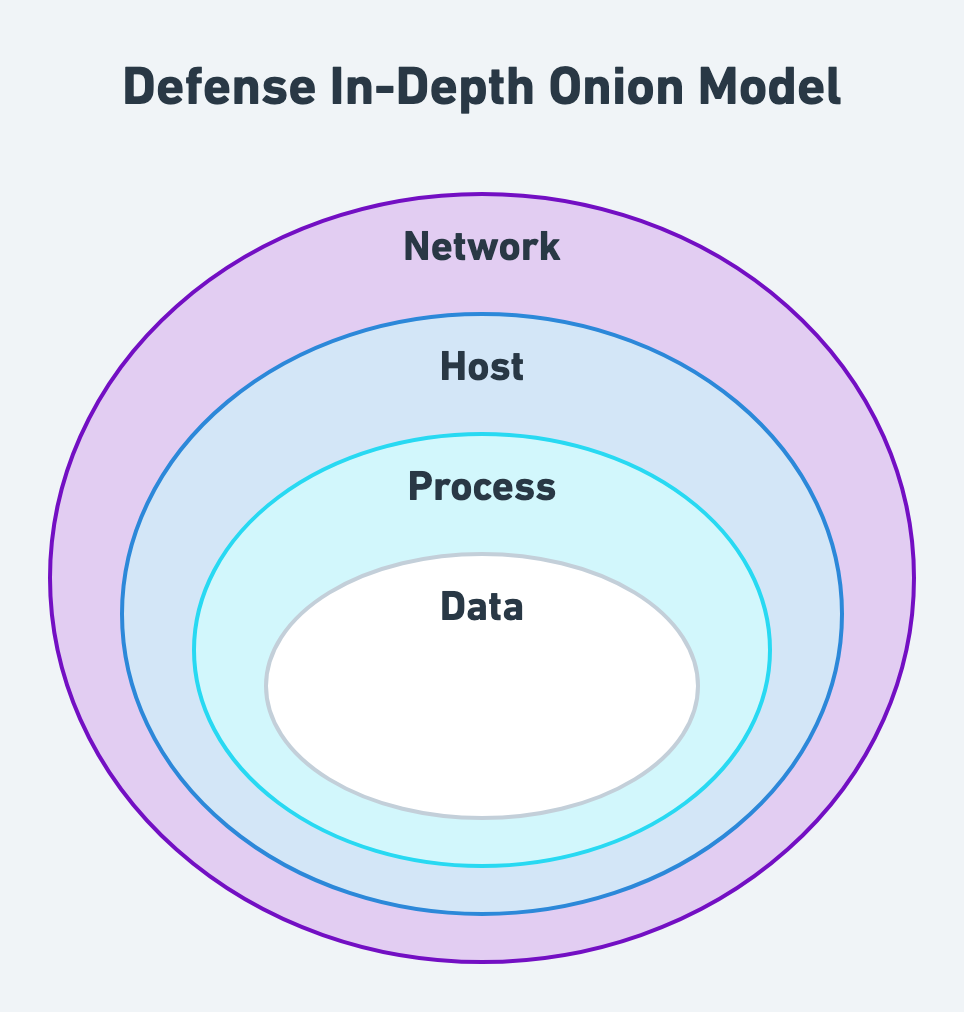
Securing the Data
Securing Data at Rest
Vector will not serialize events on disk unless you’ve configured Vector to use disk buffers or have enabled swap. Therefore, to secure data at rest, we recommend:
- Enable whole disk encryption. Whole disk encryption moves the responsibility of disk encryption to the operating system or file system. This offers better holistic security, and is faster and more CPU efficient. Please follow your platform’s guidance for encryption at rest (i.e., AWS, Azure, Google Cloud).
- Disable swap. Disabling swap prevents the operating system from overflowing Vector’s memory to disk, reducing disk exposure of your data. This is also better for performance. Vector should always have enough memory to operate without swap.
- Restrict Vector’s data directory. The unprivileged Vector service account should be the only account that can read or write into Vector’s data directory (i.e.,
/var/lib/vector). - Encrypt external storage. Finally, external storage, such as archives, should be encrypted. This can be done in a variety of ways depending on your security model but is typically achieved through server-side encryption. Please follow your storage’s guidance for encryption (i.e., AWS S3, Azure Blob Storage, Google Cloud Storage).
Securing Data in Transit
- Redact sensitive attributes. Event attributes that hold sensitive data, such as PII, can be redacted (i.e., the VRL
redactfunction). - Disable core dumps. A user who can force a core dump could access Vector’s in-flight data. Preventing core dumps is specific to your platform. On Linux setting the resource limit
RLIMIT_COREto0disables core dumps. In the systemd service unit file, settingLimitCORE=0will enforce this setting for the Vector service (this is done automatically when installing Vector throughaptoryum).
Vector implements an affine type system via Rust that achieves memory safety and removes data from memory as soon as possible. Memory safety eliminates a class of memory-related security bugs, and the affine type system reduces exposure by only keeping data in memory when needed.
Securing the Vector Process
Securing Vector’s Code
Vector’s code is open-source, and the development process is secured as outlined in Vector’s security policy.
Securing Vector’s Artifacts
- Download over encrypted channels. Vector does not allow unencrypted downloads of its artifacts. All download channels require industry-standard TLS for all connections. When downloading Vector, be sure to enable server certificate verification (the default for most clients).
Securing Vector’s Configuration
- Never use plain text secrets. Never add plain text secrets to Vector’s configuration files.
- Restrict Vector’s configuration directory. Vector’s configuration directory (i.e.,
/etc/vector) should be read restricted to Vector’s unprivileged service account and write restricted to your operational account used when deploying Vector.
Securing Vector’s Runtime
- Do not run Vector as root. Vector is designed to run via a dedicated service account. Never run Vector as root or an administrator account.
- Restrict the Vector service account. Vector’s service account should not have the ability to overwrite Vector’s binary or configuration files (i.e., the
/etc/vectordirectory). The only directory the Vector service account should write to is Vector’s data directory (i.e.,/var/lib/vector). - Upgrade Vector frequently. Vector is actively developed by a team at Datadog and hundreds of contributors around the world. Releases can include important bug and security fixes. We recommend watching the Vector repository for releases, following the Vector Twitter account, or subscribing to the Vector calendar for release notifications.
Securing the Host
- Ensure Vector is the single tenant. When deploying Vector as an aggregator it should be the single tenant on the machine. This prevents other processes from unknowingly interacting with the Vector process.
- Disable SSH or remote access. Users should never access the Vector machine directly to interact with Vector. Instead, users should interact through a central control plane for observability and management. Consider Vector’s enterprise offering, Datadog Observability Pipelines.
Securing the Network
- Use end-to-end TLS. For all sources and sinks, enable end-to-end TLS, even for internal traffic. This ensures that data in transit is secured from its source to destination.
- Use modern encryption algorithms. Use the latest encryption algorithms. For example, if your system supports it, use TLS 1.3 instead of older versions.
- Use a firewall. Finally, use a software or hardware level firewall to restrict incoming and outgoing traffic with Vector. Only enable access to subnets that Vector needs to communicate with.